English
 Czech
Czech
 German
 French
 Italian
 Japanese
 Polish
 Spanish

Manufacturing Execution Systems
Bridge the gap between manufacturing systems and automation with Mitsubishi Electric Iconics Digital Solutions (MEIDS).
What is a Manufacturing Execution System?
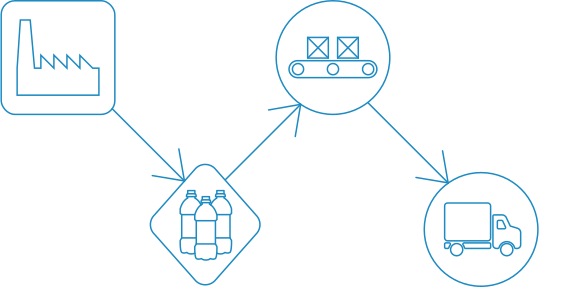
Most modern plants use a Manufacturing Execution System (MES) to manage and monitor work in progress on the factory floor. MES solutions involve system control systems that rely on up-to-date info to provide a snapshot of the current state of products being manufactured. In regulated industries, it is also the repository for critical lot and process data.
How It Works
An MES needs to be fed information from the plant floor pertaining to the current state of the product lots as they move through the process. In modern automated plants, this info normally resides within the manufacturing equipment itself. The aim is to automatically bridge the existing gap between a plant MES and automated systems.

Benefits of GENESIS MES-Integrated Solutions

Fast, Intuitive Graphical Workflow Designer
Develop transaction workflows using highly intuitive graphical tools. Use the function block graphical designer to connect multiple data sources as well as define, calculate and implement business rules.
Data Mine Any Real-Time Data Source
Utilize a large collection of function block data connectors to data mine sources such as Microsoft SQL Server, Oracle, SAP, plant historian, OPC and more.

Powerful Transaction Workflow Scheduler
Schedule transactions and workflows based on periodic time and date, OPC tags, Alarms and Events, database values, file attributes and more.

Seamlessly Orchestrate Historical Data Integration
Leverage the graphical workflow designer to move Hyper Historian™ data to and from any data source for in-depth analysis of high-speed historical data.

Centralized Unified Data Manager
Access and modify all transaction parameters from a centralized location. Configure scheduling triggers and create expressions for reuse in other applications.

Real-Time OPC Compliance
Data-mine OPC data, OPC alarms and events, and historical data in real time.
What Does SCADA Do for Your Organization?

MES for Food and Beverage
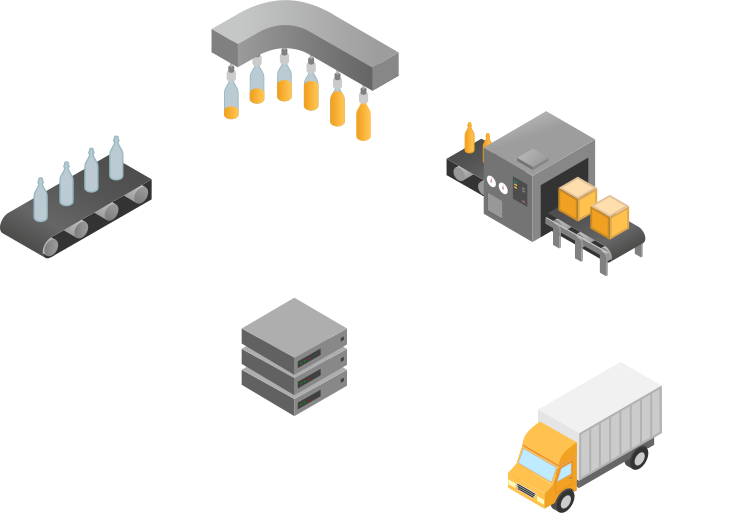
Food and Beverage industry applications generate a large amount of data along the manufacturing line. Our automation software paired with MES can make the best use of captured data to make key informed decisions.
Read More →
MES for Manufacturing
By now, most global manufacturers have implemented or considered MES. Gathering process-related data is the first step. The next step is to use automation software to best analyze and utilize valuable accumulated data.
Read More →
MES for Materials and Mining
The Materials and Mining industry uses MES where repeatable processes can be measured for quality and productivity. GENESIS automation software can tie into such systems to provide dashboards for critical decision making.
Read More →
MES for Automotive
MES can help standardize the multiple processes and machinery within automotive industry operations. Used with GENESIS automation software, the combined solutions help to improve product quality and productivity, as well as lower costs.
Read More →
MES for Oil and Gas
Oil and Gas industry companies utilize MES in order to measure, and respond to, process-related data. Our MES-integrated automation software takes that generated data and uses it for visualization, analysis, and more.
Read More →
MES for Pharmaceutical
MES is a common technology in pharmaceutical manufacturing environments. A large amount of process data is carried through each production step. We provide correlated automation software that uses that data for additional benefit.
Read More →Learn More About Our Products

KPIWorX is a self-service dashboard. Predefine your dashboards, or let your users create their own. Display your data in easy to use charts, tables, and symbols. Configure using drag-and-drop. Filter and sort on the fly. View your dashboards in any HTML5 browser from wall displays to phones and anything in between.

Schedule and run powerful reports with ReportWorX™64. Design templates in Excel and leverage Excel formulas, charts, and formatting. See live data directly in the template, then schedule the report to be delivered to your mailbox right when you need them. Trigger reports on demand from your HMI, in response to system alerts, when records appear in your database, and more. Report on a wide variety of data sources, from OPC UA, databases, BACnet, SNMP, web services, and beyond.

Bridge your data with BridgeWorX™64. Connect to a huge variety of data sources, including OPC UA, web services, custom databases, and more. Visualize and create your transactions in an easy to use flow chart format. Make your data work for you!
Want to Get Started?
Get in Touch
Ready to get started with GENESIS solutions? Get in touch with our Sales Team at one of our worldwide offices.