
 English
 Czech
Czech
 German
 French
 Italian
 Japanese
 Polish
 Spanish
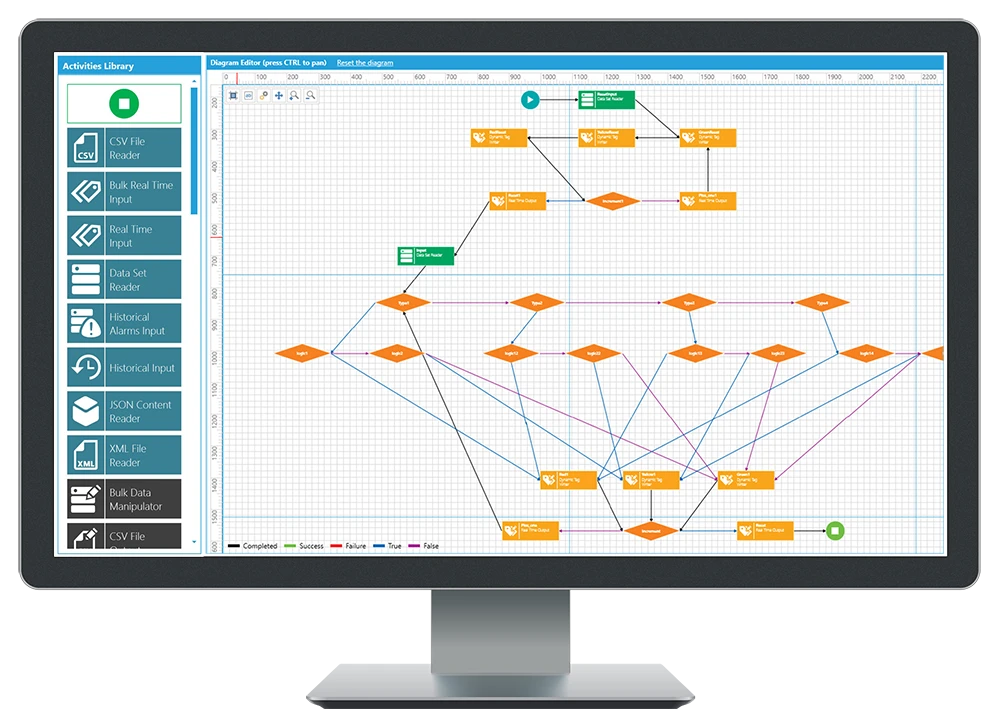

Rapid Development Environment, Centralized Workflow and Data Transaction Management
Der Service BridgeWorX™64 bietet die neueste 64-Bit-Datenbrückentechnologie für ICONICS-Produkte. Grafische Datenüberbrückung ermöglicht Benutzern das schnelle Implementieren von Aufgaben zur Orchestrierung und Integration von Daten, die der Geschäftslogik entsprechen, ohne dass eine Programmierung erforderlich ist. BridgeWorX64 kann auf Microsoft SQL Server, Oracle, Microsoft Access, SAP und praktisch jede Echtzeit- oder archivierte Herstellungs- oder Geschäftsdatenquelle zugreifen. Explore the NEW GENESIS.
Centralized Configuration
BridgeWorX64 provides a centralized configuration workspace as the point-and-click mechanism for configuring data sources, developing workflows, and to speed up development with import of XML, CSV or XLSX defined sources. BridgeWorX64 encourages and facilitates no-code development, allowing users to focus on business tasks rather than creating and maintaining code. Still, users may enrich the platform by creating custom activities implemented as .NET assemblies which then encapsulates and commercializes the users intellectual property.
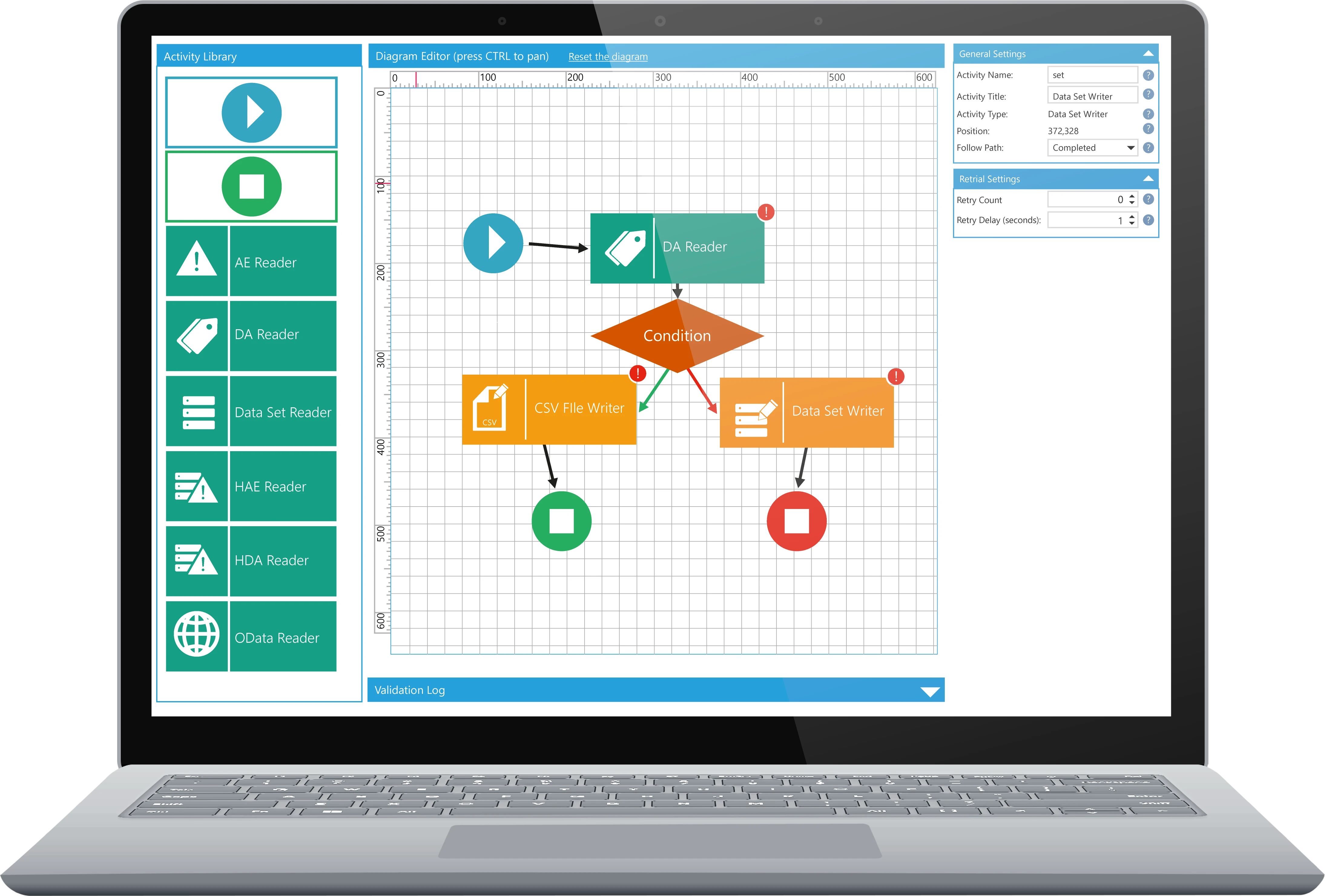
Workflows
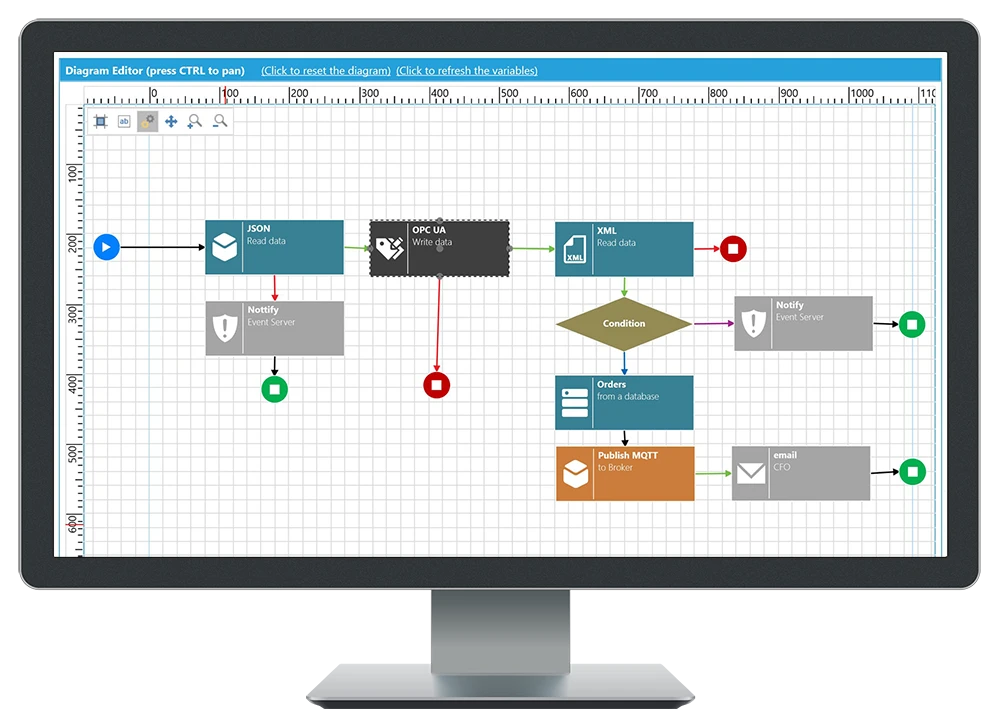
Workflows enable connectivity to assets using de facto standards OPC UA, BACnet, RESTful APIs, MQTT, AMQP, SparkPlug B, SNMP, Modbus, and relational databases through OLE DB and ODBC. The data is filtered, calculated, and combined to produce a valuable dataset which can then be shared with any of the relevant data sources or stakeholders.
Workflows are executed based on conditions in a device, asset, or process. This could be an OPC UA alarm signaling an abnormal level in a storage tank, a digital state of an IoT device, specific times of the day, scheduled availability of resources, or a wide variety of other circumstances.
Workflows are represented visually and can range from a simple 'if/then' scenario to more of a complex cycle of conditional decisions. Processing a dataset from a JSON source and writing a value to an OPC UA target can be as simple as placing two activities in the workflow.
Product Features

Read real-time data from web services, message brokers, and OPC UA sources

Read historical data from any historian or alarm logger
.svg?language=en-us)
Read datasets from databases, XML, CSV, or JSON sources

Write data to web services, message brokers, and OPC UA sources

Write datasets to databases, XML, CSV, or JSON destinations

Publish information to Twilio, Vonage, or ATT cloud services
Want to Get Started?
Get in Touch
Want to get started with GENESIS? Get in touch with our Team at one of our worldwide offices.