English
 Czech
Czech
 German
 French
 Italian
 Japanese
 Polish
 Spanish
 25 min read
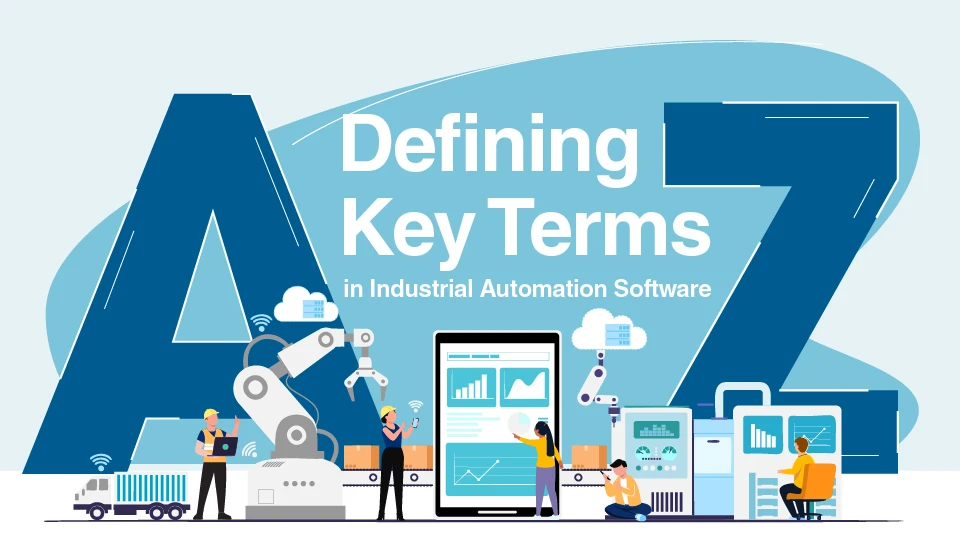
While there are many Supervisory Control and Data Acquisition (SCADA), Building Automation System (BAS), Facility Management System (FMS), Energy Management System (EMS), Manufacturing Execution System (MES), and Data Center Information Management (DCIM) software options on the market to choose from, the leading solutions will have the following attributes (key terms) that differentiate them and deliver significant end-user benefits.
By clarifying what these key terms mean in practice, decision-makers can move beyond assumptions and evaluate automation platforms based on a shared, concrete understanding rather than vague impressions. The following sections define the most common terms in automation and explain what these words represent.
List of Key Terms (Glossary of Terms):
- Automation Software – For SCADA, BAS, FMS, EMS, MES, DCIM
- Mature – Feature Rich, Proven, Corporate Longevity, Critical Mass
- Configurable, No-Code – End-User Configuration Orientated
- Programming/Scripting – System Integrator / Developer Oriented
- High Performance HMI – The New Standard for User Interfaces
- 3D Graphics – The Next Generation of Visualization
- Automated Visualization – Query/Exception Based Visualization
- Asset Framework – Accessibility to All Information
- Unified Namespace – The Organization of All Data
- Secure by Default – New Product Installation Paradigm
- Extensible Architecture – Start Small and Grow Painlessly
- Composable Architecture – Functional Software Architecture
- High Performance Architecture – Cache, Load Balancing
- Modern Development Tools - .NET Tools – Windows and Linux Targets
- Agile Development Practices – Sprints and Frequent Delivery
- Automated Testing – Test Driven Development (TDD)
- Data Centric Design – Not just Analog and Discrete Data – GPS Positions, Dates and Times, Database Query Results
- Cybersecurity Standards Based – IEC-27001, ISO-62443, CMMC
- Development Standards Based – ISO-9001
- Industry Standards Based
- OPC Foundation Interoperability Standard – OPC Classic, OPC UA, DA, HDA, Alarms and Conditions
- ISA S-88 Batch Control Standard – Managing Batch Processes
- ISA S-95 Language and Framework Standard – Managing System Interoperability
- ANSI/ISA 18.2 Alarm Management Lifecycle Standard – Managing Alarms
- IoT Publishing Standards – MQTT, AMQP, REST
- SNMP V1 V2 – Standard for IT Connectivity
- High-Availability Options / Redundancy – Delivering 24x7x365 Reliability
- Platform Architecture for Extensibility – Delivering Tools for Product Extensions
- AI Agents and Model Context Protocol (MCP) – How Automation Software integrates with Agentic AI
- Any Glass User Interface – One Graphics Development Environment for Desktop, Mobile and Web
- Rapid Development – Tools for Fast and Reliable Application Configuration
- Self-Documenting – Data Formats to Facilitate Application Documentation
- System Performance and Health Analytics – Predictive Maintenance
A More Detailed Explanation of Key Terms (Glossary of Terms):
Automation Software – For SCADA, BAS, FMS, EMS, MES, DCIM
Automation software in the market of industrial applications performs the functions of connect, collect, analyze, visualize, and act, delivering these functions for the benefits of reduced costs, improved quality and performance, and enhanced reliability.
Mature – Feature Rich, Proven, Corporate Longevity, Critical Mass
The maturity of an automation software solution only comes with time, and the trials of different applications in different markets. Over time, customer feedback and developer creativity will help to craft both concepts and capabilities that will define a leading software solution. Developer creativity and corporate philosophy are crucial to the development of a solution that is widely applicable in industry and can address customer applications without compromise. While modern development tools can help with scaling the work of a few developers to deliver a product, there is more than just product and companies need to deliver product plus - sales support, system integrator support, end customer support, OEM support, and enable customer success on a global basis, in local languages. Any company not offering that broad support will not be a significant long-term player.
Configurable, No-Code – End-User Configuration Orientated
In the world of application development, solutions can generally take one of two forms – custom developed applications involving programming or scripting, and pre-built (no-code) applications that can be configured for specific use cases.
Custom applications require a much higher level of system integrator expertise for application development and debugging/troubleshooting and require more effort in documentation and long-term support.
A better approach is to use more mature software solutions that deliver pre-built functionality for applications and can be customized as necessary through parameterization. By exposing parameters or configuration items for pre-built and proven functionality, the equivalent customization can be achieved for building a solution, albeit with a much higher degree of performance, reliability, and future applicability. Configured, No-Code solutions offer reduced costs for both initial installation and long-term costs of ownership.
Programming/Scripting – System Integrator / Developer Oriented
The ability to customize a solution through programming and scripting should always be an option to address capabilities that were not previously anticipated. The more mature the automation solution, the less the reliance on custom software development. As automation software is applied to more and more applications, especially in niche markets, there is often the need for a custom feature or function that a domain expert will need to deliver. This may be in the form of scientific calculations, or the inclusion of some proprietary techniques. A mature automation software solution will offer toolkits to create layered functionality, creating the automation software as a platform for custom application development.
High Performance HMI – The New Standard for User Interfaces
High-performance Human-Machine Interfaces (HMIs) are a design philosophy and set of attributes focused on creating interfaces that enhance an operator's situational awareness and reduce cognitive load. Unlike traditional, visually busy HMIs, a high-performance HMI presents information clearly and concisely, enabling faster, more accurate decision-making and preventing abnormal situations from escalating into full-blown alarms. They offer minimalistic graphics - simple, flat, 2D icons instead of overly detailed or 3D renderings to reduce visual clutter. Color is used sparingly, and only to highlight critical information or alarms. A muted, low-contrast grayscale background is used to make these key alerts "pop" and catch the operator's eye immediately. Strategic color use: Color is used sparingly, and only to highlight critical information or alarms. A muted, low-contrast grayscale background is used to make these key alerts "pop" and catch the operator's eye immediately.
3D Graphics – The Next Generation of Visualization
While every automation software solution offers the ability to create 3D static visualizations, advanced solutions are now offering true 3D object rendering with the ability to pan, zoom and overlay data on top of these representations. True 3D rendering can include dynamics for position, rotation, colorization, and more. This functionality is especially valuable to equipment OEMs that want to offer detailed views of their equipment for maintenance and troubleshooting purposes. There is also excellent applicability to the building automation systems market, for building and office rendering.
Automated Visualization – Query/Exception Based Visualization
As systems grow, it becomes difficult and costly to create and maintain the user interfaces of an automation system. It is very important to be able to automatically build visualizations as needed to view processes and react to anomalies. The term for this is Exception Based Visualization, and it enables operators to view assets in their process that need attention. HMI visualizations can be requested for equipment with alarms, operating below specifications, awaiting maintenance, etc. In very large applications, a set of Exception Based HMI displays are the foundation for system-wide process management.
Asset Framework – Accessibility to All Information
Context is taking on more and more importance in our world of digital transformation. The leading solution for context involves creating assets and organizing them within your enterprise. Application development is greatly enhanced by being able to view and interact with your data through an asset structure. System users, not necessarily system domain experts, can also access the data they need in a more reliable and accurate manner. Application development is done reliably and accurately by accessing data through the context of assets and their attributes.
Unified Namespace (UNS) – The Organization of All Data
Automation solutions have commonly been developed at different times and for different purposes, even within one enterprise. This leads to islands of information, where these different islands may feature different data definitions and have or may lack data organization or contextualization. A Unified Namespace is a concept where all data definitions are centralized for access by all. A Unified Namespace will typically offer directions or APIs to access information. It may offer sole level of rea-time information access. But most importantly, it will offer the contextualization of all Information Technology (IT) and Operational Technology (OT) information. An Asset Framework can be considered a Unified Namespace and can be used to feed a Unified Namespace.
Secure by Default – New Product Installation Paradigm
The introduction of the Internet and the proliferation of system hacking have brought many changes to the development of automation solutions, one being the concept of Secure-By-Default. Secure by default software is shipped with the most secure settings enabled automatically, reducing the risk of security incidents from misconfigurations. This approach removes the burden of complex security setups from the end-user by making security the easiest and most accessible option.
Extensible Architecture – Start Small and Grow Painlessly
Applications will grow over time. The ideal automation software solution will be designed to address small applications simply and cost effectively but will also offer an internal architecture that is designed for effortless scalability. Data in one application will be accessible from another, simply by connecting them. Tools for scalability will enable advanced capabilities like data caching and load balancing when larger systems become more performance oriented.
Composable Architecture - Functional Software Architecture - Forms and Edge
Applications take many forms and architectures. There are on-premises Microsoft Windows oriented systems with workstations and servers. Edge devices or systems may be Windows or Linux based for bridging data to the Cloud. Cloud solutions may be Azure, AWS, or Google based with either native processing or Virtual Machine (VM) operation. In any case, it is beneficial to be able to “Build” an architecture out of functional modules of software that seamlessly integrate to form a solution. This concept is better known as a Composable Architecture. A composable software architecture emphasizes building systems from independent, modular, and interchangeable components. Instead of relying on a single, monolithic application, developers can assemble and reassemble these self-contained "building blocks" to create complex applications and respond rapidly to changing business needs.
High Performance Architecture – Cache, Load Balancing
In small applications, performance may never be a consideration. Today, compute power is vastly greater than it was in the past. But it’s good to know that a solution you’ve selected is capable of more demanding application. Those applications have stressed software solutions in ways that have improved their design and reliability for every application. As applications grow, and there are many users of information, it’s necessary to cache data for use by many, to avoid many requests (and related processing) for the same data. The same is true for clients on an operator network. There is the need for load balancing of remote users, directing them to the appropriate servers to best support system-wide loading.
Modern Development Tools - .NET Tools – Windows and Linux Targets
With highly modular software development to support Composable Architectures comes the need to support various operating systems including both Microsoft Windows and Linux. The use of .NET development tools facilitates that cross-platform development effort. The .NET 8 is a Long-Term Support (LTS) version of the developer tools. Version 9 offers Standard Term Support (STS). Version 10 will be the next LTS release. Keeping current with development tools is critical to offering the best platform for long term support and leveraging the latest technologies for a more robust product offering.
Agile Development Practices – Sprints and Frequent Delivery
Many software products are monolithic in their design and development. This makes for a much more challenging test and debug cycle for the automation software vendor and will limit the number of releases that are possible in a year. In fact, many vendors offer yearly or fewer updates. Software development practices have morphed to more modular architectures, that can be engineered separately and tested and debugged separately. Combining that more modular design, with a process called Agile Development that incorporates flexible, iterative, and collaborative processes enables vendors to adapt to market needs far more quickly than in the past. This is especially important for addressing Cybersecurity vulnerabilities that are so common in modern architectures today. The trend toward Agile Development and the delivery of continuous improvement for automation software solutions brings with it opportunities for process change in customer systems, enabling them to incrementally improve with time, rather being locked in with functionality that was delivered at commissioning.
Automated Testing – Test Driven Development (TDD)
With Agile Development comes another equally important trend, that of automated testing. Modern developers are developing automated testing tools even prior to creating their new programs. Develop the test first, then develop the functionality to be tested. The benefit of this approach is that automated testing can help to speed time to market in an Agile Development environment by reducing or eliminating much of the time from code freeze to final release.
Data Centric Design – Not just Analog and Discrete Data – GPS Positions, Dates and Times, Database Query Results
Industrial automation software used to be focused on analog and discrete data for process management in discrete, hybrid, and process markets. Today, automation software solutions are far more capable, and integrated with other enterprise systems. Automation software is taking on the requirements of asset management which requires the need to manage dates and times, and strings of information. Barcodes, QRCodes, RFID, Biometrics, Latitude-Longitude, and GPS data sources are becoming commonplace. The ability to work with relational databases and other business system data, as easily as process data, is becoming the norm. That’s the benefit of a Data-centric automation software design.
Cybersecurity Standards Based – IEC-27001, ISO-62443, CMMC
The support for industry standards is the sign of a mature and serious vendor. For a software vendor, implementing and certifying against specific cybersecurity standards like ISO 27001, IEC 62443, and CMMC provides a powerful value proposition that extends far beyond a simple security checkbox. These standards signal a commitment to robust, systematic security, which significantly enhances trust, expands market access, and improves operational resilience.
Development Standards Based – ISO-9001
For a software vendor, ISO 9001 provides a robust framework for establishing a Quality Management System (QMS). ISO 9001's value is centered on improving the vendor's operational quality, efficiency, and overall approach to delivering consistent products and services. Many large enterprises and government entities require their vendors and suppliers to be ISO 9001 certified. This certification can be a deciding factor in securing new contracts and building a reputation that attracts repeat business. An internationally recognized certification provides customers with confidence that the vendor has a reliable, structured process for ensuring quality and managing risks. For a software vendor, this assurance can be a significant competitive differentiator. By demonstrating a proactive commitment to delivering high-quality products and services, a vendor builds a strong reputation for reliability and excellence. This can lead to greater customer loyalty and positive word-of-mouth referrals.
Industry Standards Based
- OPC Foundation Interoperability Standard – OPC Classic, OPC UA, DA, HDA, Alarms and Conditions
- ISA S-88 Batch Control Standard – Managing Batch Processes
- ISA S-95 Language and Framework Standard – Managing System Interoperability
- ANSI/ISA 18.2 Alarm Management Lifecycle Standard – Managing Alarms
- IoT Publishing Standards – MQTT, AMQP, REST
- SNMP V1 V2 – Standard for IT Connectivity
- BACnet and BACnet SC
There are many industry standards that impact industrial automation software in all market applications - SCADA, BAS, FMS, EMS, MES, and DCIM. The OPC Foundation has delivered a suite of standards for data interoperability. These started within a single PC by leveraging Object Linking and Embedding (OLE) – a Microsoft technology in Windows and later delivering OS agnostic technology called OPC UA (for Unified Architecture). These standards are the foundation for all industrial automation software solutions. The ISA (International Society of Automation) delivers a broad range of standards and guidelines for the industrial automation industry. Other individual standards have also become staples to industrial and adjacent applications such as SNMP in the IT world, BACnet in Building Automation and MQTT in the IoT communications space, to name a few.
High-Availability Options / Redundancy – Delivering 24x7x365 Reliability
All applications can benefit from high-availability or redundant operations. The question is only initial and long-term maintenance cost. Solutions that can deliver higher levels of reliability, with minimal effort and only extra hardware costs, may become the new norm in industrial automation software scenarios. Mature software solutions will address redundancy applications with standard and configurable functionality as opposed to needing custom programming or scripting.
Platform Architecture for Extensibility – Delivering Tools for Product Extensions
Regardless of vendor maturity or product capability, there will ALWAYS be the need for some level of customization. The more common requirements are found in OEM (White Label Licensing). This model allows the OEM to expand their offerings without the time, expense, and risk of developing the vendor acquired solution from scratch, while the vendor gains access to a broader market through the OEM's established brand and distribution channels. However, that OEM will want to layer their own “Secret Sause” that makes their offering unique in their market. This often takes the form of automated configuration for OEM equipment. Regardless of the customization, the vendor should be offering development tools that enable the seamless integration of third-party developments for such customization.
AI Agents and Model Context Protocol (MCP) – How Automation Software integrates with Large Language Models (LLMs) and in the future, Agentic AI
LLMs are commonplace today and deliver knowledge value in many ways. They also have the potential to interface with other software solutions, like automation software. This is accomplished with an Agent, built for that automation software interface, leveraging a technology standard called Model Context protocol (MCP). With an MCP interface to our industrial automation software solutions, LLMs will be able to query for data and deliver reports and analytics, create new configurations in automation software, and read, review and document application configurations.
The step after LLM interaction with automation software solutions is that of Agentic AI. Agentic AI refers to artificial intelligence systems that can act independently to achieve a specific goal with minimal human intervention. Unlike reactive AI that simply generates content based on a prompt, agentic systems are proactive and goal oriented. They use a reasoning engine, often powered by a Large Language Model (LLM), to break down complex tasks into smaller steps, decide on a course of action, and execute it by interacting with various digital tools and systems.
AI and Agent technology is new, and you’ll want to evaluate vendors that have shown the right level of innovation in their products to deliver enhancements at the right time, that are proven and of lasting value.
Any Glass User Interface – One Graphics Development Environment for Desktop, Mobile and Web
The goal of all automation software solutions is to be as flexible and simple as possible to use. In the area of HMI and user graphics development, that should include one, powerful and flexible graphic editor that can support all target display environments, workstation, server, mobile (phone and tablet), and web (any browser). That is HMI development for use on Any Glass. Mature solutions will deliver user visualizations and interactions through standard graphics configuration, not scripting or programming, to facilitate easy testing and troubleshooting, without the need to document or learn programming techniques.
Rapid Development – Tools for Fast and Reliable Application Configuration
While small applications are relatively quick and simple to create, the development of larger configurations may require the configuration of 10s of thousands of I/O points, alarms, analytics, etc. This requires tools to facilitate automated configuration, the ability to leverage productivity environments such as Excel for the replication and customization of configurations for import to the automation software. Powerful import, export and
- Self-Documenting – Data Formats to Facilitate Application Documentation
- System Performance and Health Analytics – Predictive Maintenance
Across all industries, GENESIS from Mitsubishi Electric Iconics Digital Solutions exemplifies these key terms in practice.
Our software is advanced in design, powerful in performance, and capable in scale, providing a unified automation platform that connects data, collects, and archives, analyzes, provides visibility, and drives action to enhance operational excellence.
Ready to see these principles in action?
Visit our GENESIS product page to learn how our software brings advanced design, flexibility, and scalability together to power modern automation.

Written By:
Recent Posts
How Smart Building Technology Improves Hotel Performance, Efficiency, and Profitability
Modernizing Legacy SCADA in Water Utilities: Improving Performance, Visibility, and Reliability
How One Manufacturer Advanced Its Industrial Digital Transformation
Why Food & Beverage Manufacturers in APAC Are Rethinking Operations and Turning to Automation Platforms

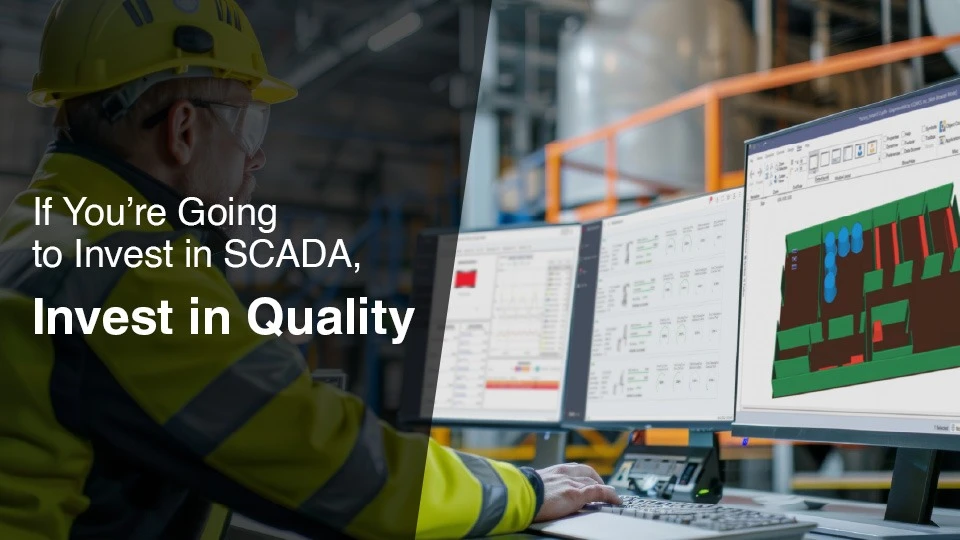
If You’re Going to Invest in SCADA, Invest in Quality