 English
 Czech
Czech
 German
 French
 Italian
 Japanese
 Polish
 Spanish
Category: Manufacturing
Hydrovision Ltd.

Aberdeen, Scotland

Category: Manufacturing
Aberdeen, Scotland

“Through many ROV implementations with Mitsubishi Electric Iconics Digital Solutions' GENESIS software over several years, it has proven to be a highly reliable, accurate and dependable system.”
Hydrovision Ltd. was a world leader in the manufacturing of Remotely Operated Vehicles (ROVs) until the early 2000s, and was a private limited company located in the heart of the UK, specializing in the design and manufacturing of sub-sea robotic systems.
These systems needed to meet extremely demanding standards of performance, control and endurance for the Underwater Salvage, Cable Laying and Offshore Oil drilling industries that deployed these ROVs.
“Through many ROV implementations with Mitsubishi Electric Iconics Digital Solutions' GENESIS software over several years, it has proven to be a highly reliable, accurate and dependable system.”
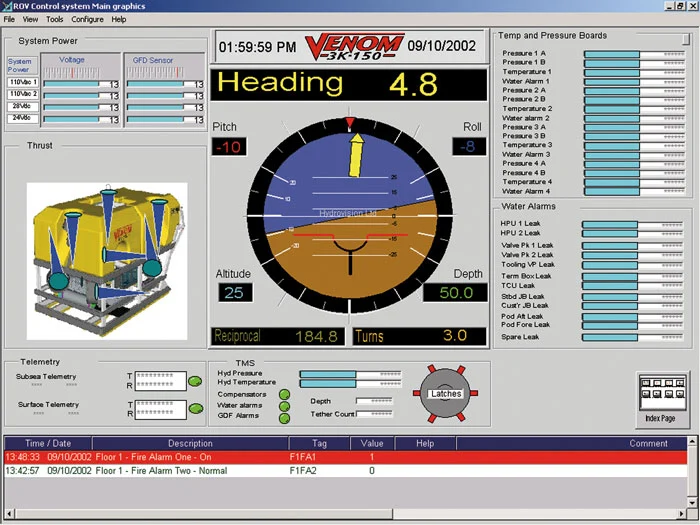 Sample ROV Model Monitoring and Control by Hydrovision
Hydrovision Ltd. selected Mitsubishi Electric Iconics Digital Solutions’ GENESIS™ software suite of SCADA and OPC products to support its new scalable control system for ROVs, sub-sea tooling, and other custom tooling applications.
The system was required to be PC-based, run under a Windows operating system, and comply with open standards such as OPC. The deployed GENESIS components included:
Sample ROV Model Monitoring and Control by Hydrovision
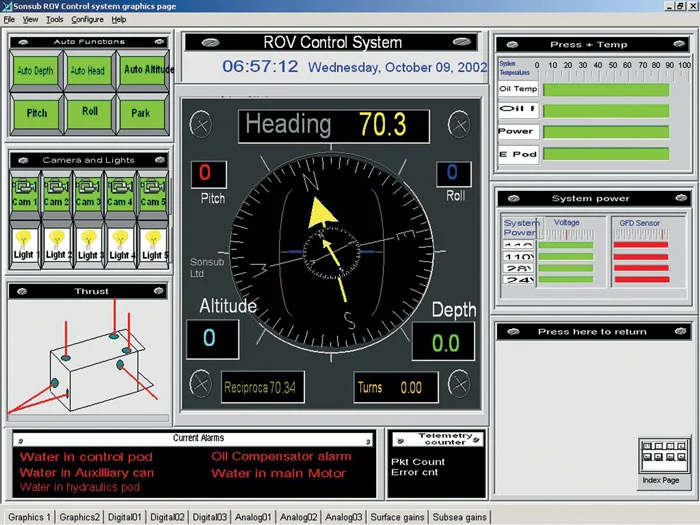 Hydrovision ROV Control Screen
The modularity of GENESIS provided the scalability Hydrovision required, enabling control systems to scale at a ratio of 4 to 1—from the company’s largest machine to its simplest configuration.
Key advantages included:
Hydrovision ROV Control Screen
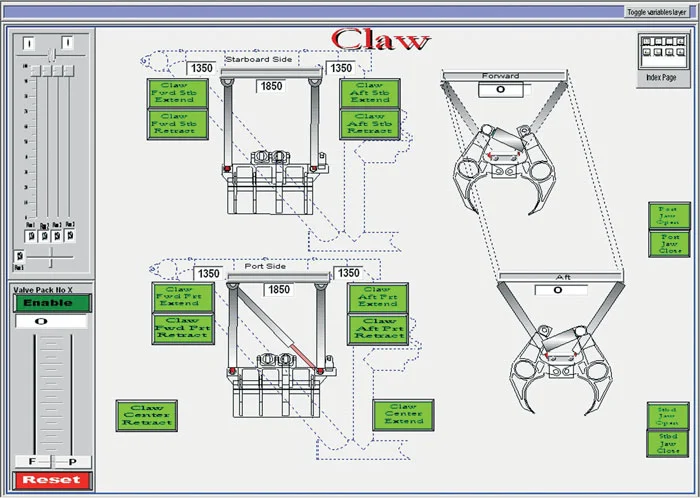 ROV Claw Control
GENESIS’ GraphWorX software was used to create the Operator Interface HMI, designed with multiple touch screen control panels. These panels manage the ROV machine while a single main display continuously presents system data.
The control workflow was organized into sequential tasks, each displayed on individual HMI screens. Operators access these screens through touch screen control buttons, with each view presenting only the controls and feedback needed for that specific task.
To achieve this, engineers created a series of animated general assembly CAD drawings of the machine and its tool sections. Sensor feedback from the tool animated the drawings, allowing operators to monitor the real-time status of both the tool and each sequential task.
In addition, backup video cameras were fitted to the machine. These cameras support operators by providing live observation of tool operations, ensuring safety and precision.
As operators progress through the display screens using the touch screen buttons, they carry out the complete machine process operation step by step.
ROV Claw Control
Hydrovision Ltd. found that the GENESIS software suite exceeded expectations for its ROV control system. The solution delivered on every requirement by being:
The system was built on a hardware and software platform designed to evolve and remain supported for many years. Another key benefit was the flexibility of the control system. With GENESIS, Hydrovision Ltd. could train its customers to make their own modifications to the machines, whether for new tooling or different applications.
Mitsubishi Electric Iconics Digital Solutions worked closely with Hydrovision Ltd. to make the ROV Machine control project successful in every aspect. Hydrovision Ltd. participated in the Mitsubishi Electric Iconics Digital Solutions OEM Support and Maintenance program to keep its software updated and for access to technical support personnel as needed.